
WordPress is the most popular content management system in the world. (Nearly half of all websites use it!) So it’s no surprise that it’s also one of AWeber’s most used integrations.
That’s why we rebuilt our AWeber for WordPress plugin to make it even more powerful and simpler to use to help you find greater success with email marketing. Here’s what’s new with our WordPress plugin.
It's now easier to add sign up forms to WordPress.
You now have three “easy as pie” ways to add your sign up form to your WordPress website using the AWeber plugin.
Widgets
You can add your sign up form to your WordPress theme using the widgets in WordPress, which means it’ll be added to every page on your website. For example, consider adding your sign up form to your blog sidebar or website footer.
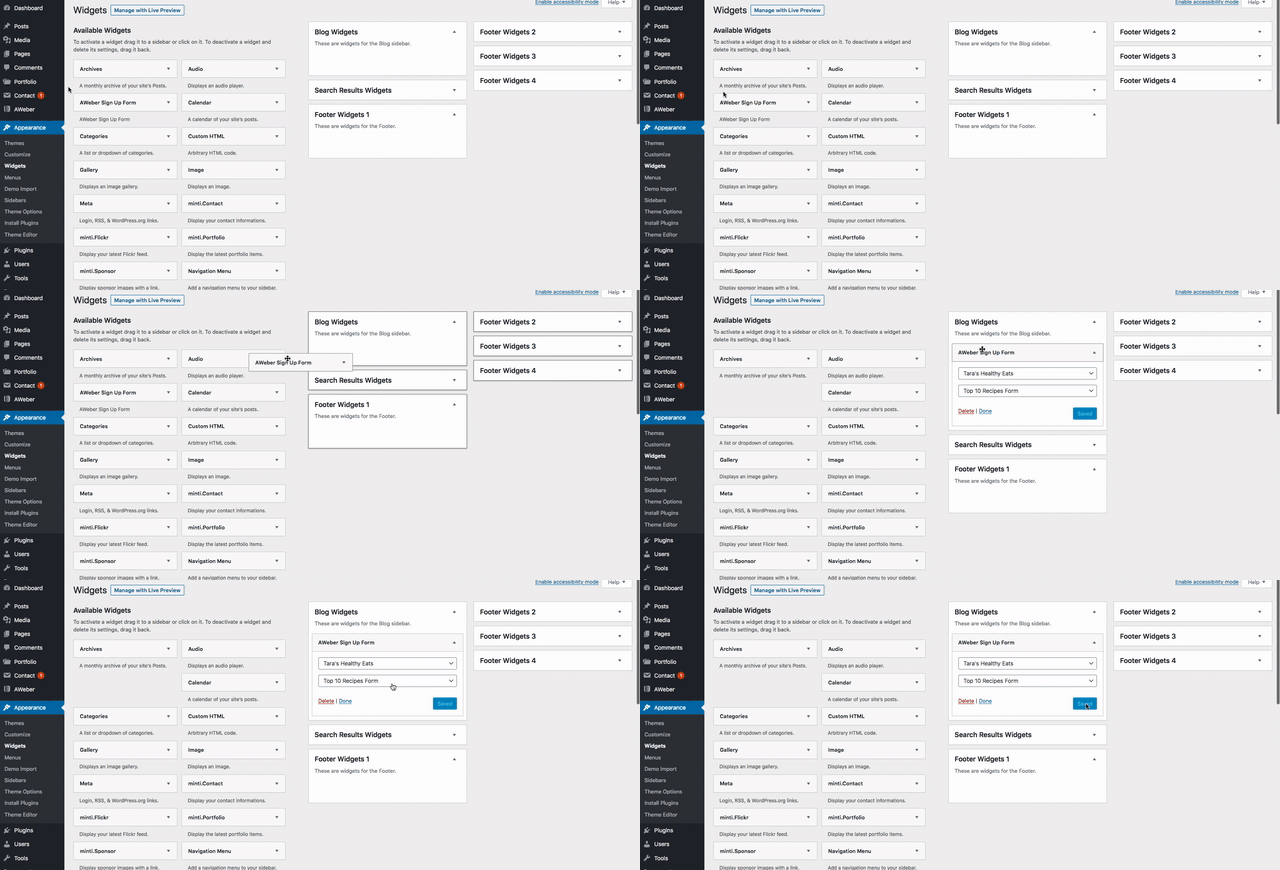
Related: How to add an AWeber sign up form using WordPress widgets
You can only place the AWeber widget in one widget area. If you want to add it to other widget areas, you can use the next method: shortcodes.
Shortcodes
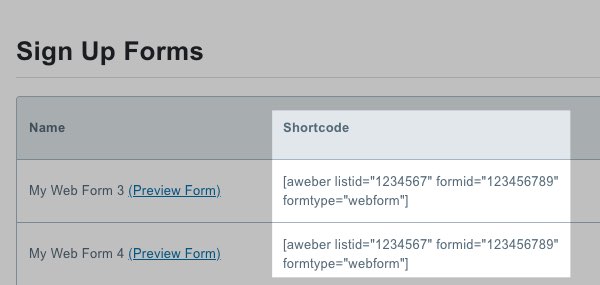
Shortcodes are snippets of WordPress code that allow you to add your sign up form anywhere on your site. You don’t have to create these; WordPress automatically creates them for each of your sign up forms.
You’ll find your shortcodes inside the AWeber plugin under Forms.
If you want to add your sign up form to your entire site, simply copy the code and paste it into a text widget.
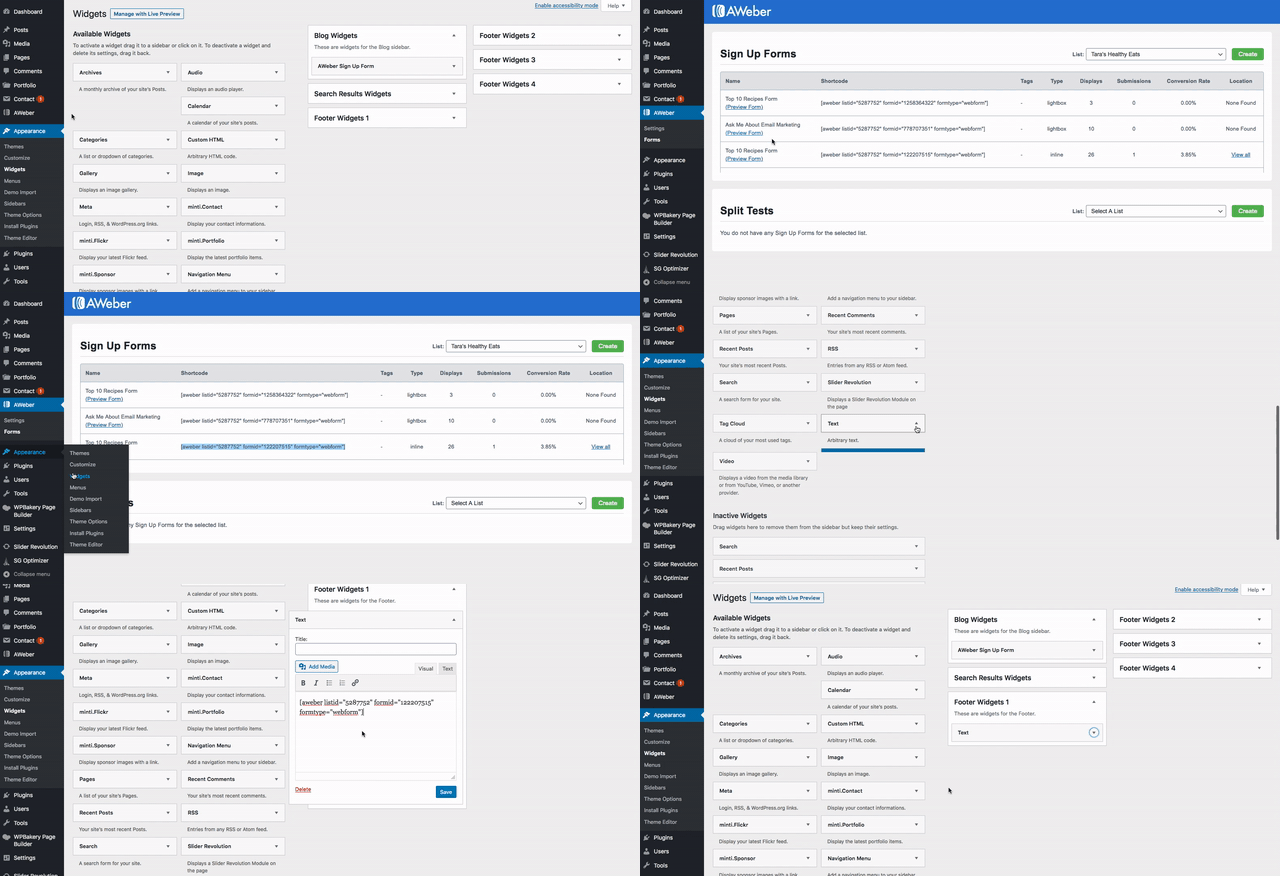
Related: How to add an AWeber sign up form using WordPress widgets
You can also add the shortcode to a specific page or blog post using the WordPress page editors, which we’ll cover next.
In the WordPress editors
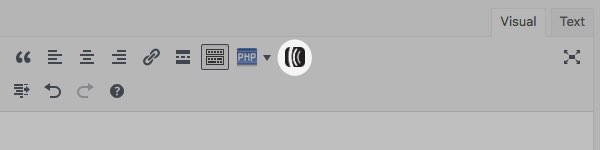
To add an AWeber sign up form to a page or blog post using WordPress’s classic editor, simply paste the shortcode, or use the built-in AWeber button inside the formatting menu.
If you’re using WordPress’s Gutenberg editor, simply click the “plus” icon to add a custom AWeber block. Alternatively, you can also add a shortcode block and paste your shortcode.
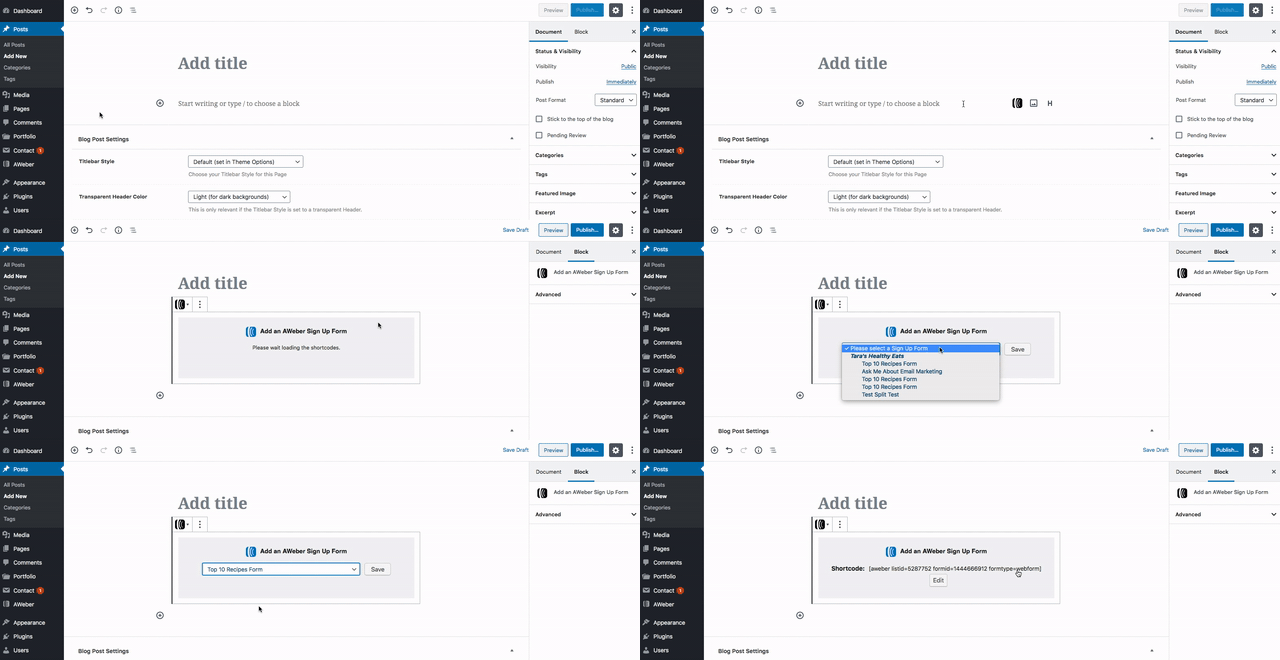
Related: Detailed step-by-step instructions on how to add an AWeber sign up form to a WordPress page or post
Automatically add commenters and WordPress users to your AWeber email list.
We’ve also made it easy for commenters and users to subscribe to your email list.
The AWeber for WordPress plugin now allows you to add a checkbox to the comment section, where users can opt into your email list when adding comments on your pages or posts.
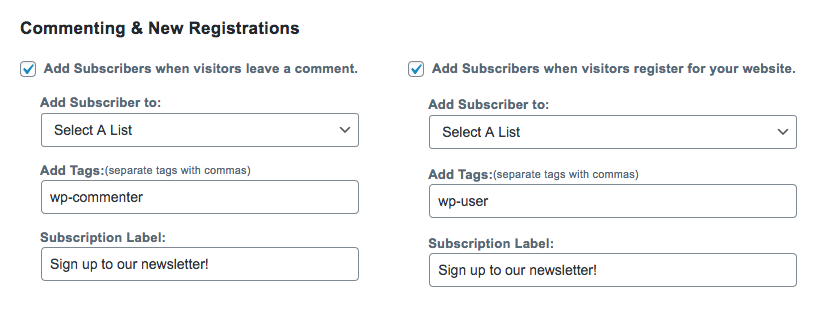
Related: How to enable the "Subscribe on Comment" feature
You can also apply tags to new commenters and users who join your list so you can segment your subscribers and send them more personalized emails in the future.
Easily see where each sign up form is being used on WordPress.
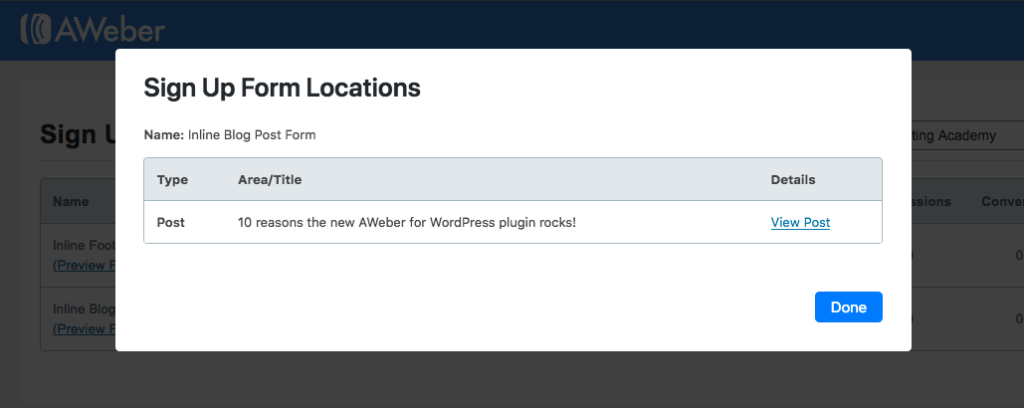
You can also quickly view where all of your forms are being used across your WordPress website.
If you ever need to remove or change the form you’re using on a particular page, you can quickly access that page right from the AWeber for WordPress plugin.
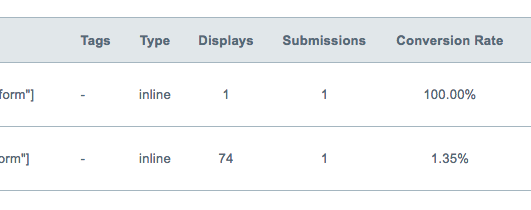
Track you sign up form performance without leaving WordPress.
One of the biggest benefits of the new AWeber for WordPress plugin is that it saves you from having to toggle back and forth between your AWeber and WordPress accounts.
Quickly track how your sign up forms are impacting your email list growth without ever leaving WordPress. You’ll learn what’s working and what’s not, so you can optimize your sign up forms for better results.
Check to make sure the plugin is installed correctly.
You don’t have to be a technical whiz to use the new AWeber for WordPress plugin.
Easily make sure your plugin is installed correctly by using the ‘System Info’ screen to view the compatibility details.
Need help troubleshooting a problem? We’ve put all of the necessary info in the System Info screen. Share this with our 24/7 Customer Solutions team and we can get you back on track in no time.
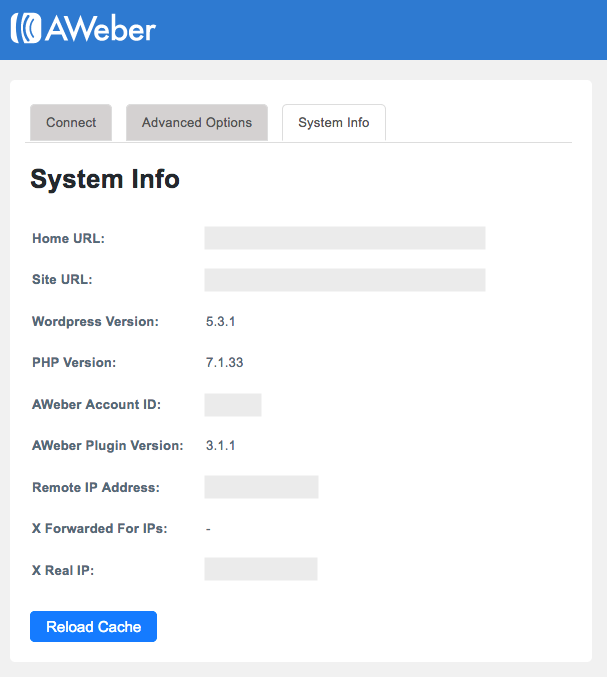
Related: How to find the technical details of your AWeber for WordPress plugin
How to get started with the new AWeber for WordPress plugin
Already an AWeber customer? Download the AWeber for WordPress plugin today, and connect it to your AWeber account.
Plus, check out a recorded demo of the AWeber for WordPress plugin inside our customer community on Facebook.
Once you’ve had a chance to try it out, we’d love to hear your feedback. Leave us a review in the WordPress marketplace.
Not an AWeber customer yet? Start your free 30-day trial today and start using the AWeber for WordPress plugin.
The post Meet AWeber’s NEW WordPress Plugin appeared first on Email Marketing Tips.
from Email Marketing Tips https://ift.tt/2PUhkqa
via IFTTT
Comments
Post a Comment