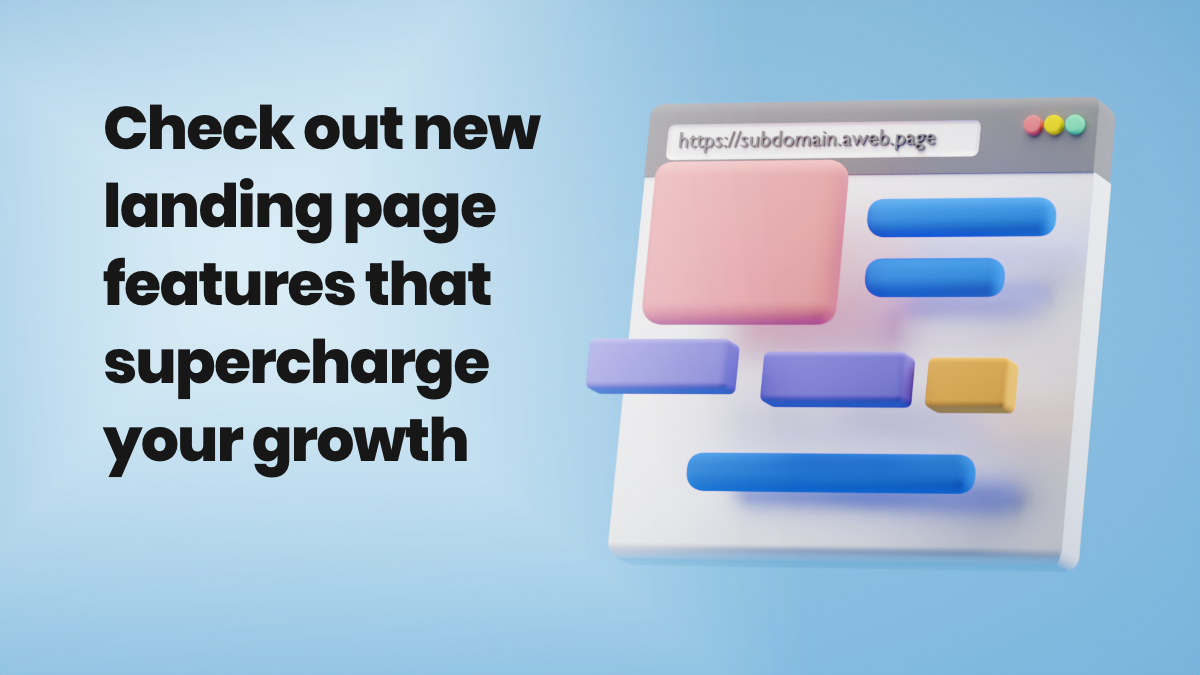
Have you seen the awesome new features in AWeber’s Landing Page builder?
Now you can more deeply personalize your landing pages and make them even more impactful.
Read on to learn about all the awesome new features and how you can put them to use for your business.
Increase conversion with personalized custom subdomains
Create custom subdomains to personalize your landing page links for all new and existing landing pages.
A subdomain is the text that appears before the main page of a URL link. For example, when using AWeber's default domain of aweb.page, the subdomain would be subdomain.aweb.page.
You can now change the pre-assigned subdomain characters and change them to something relevant to your business. This lets you better control how your URLs look. Custom subdomains allow you to have concise and compelling looking URLS.
Why are concise URLs important? They can help increase conversions because potential subscribers are more likely to click on an easily recognizable link.
You can also save hundreds of dollars by using AWeber’s integrated Landing Page Builder, and no longer needing to partner with third party tools like Clickfunnels or Leadpages.
Step-by-step instructions on how to create custom subdomains
- Before publishing your landing page, you need to update your "Settings" under Page Properties.
- Click the "Customize Subdomain" link.
- This brings you to "Domains and Addresses" settings. Delete the current characters in the "Account Subdomain" box, enter the subdomain characters you would like to change it to, and click "Save Subdomain."
- Go to the landing page editor to see your changes in the "Preview URL" section.
Next, set your page title with the custom page path
AWeber also allows you to set your page title to something longer than your URL so you can keep the URL short and punchy.
The page path is the portion of the URL after the first forward slash. For example, with https://www.example.com/my-awesome-landing-page, the /my-awesome-landing-page part of the URL is the page path.
Step-by-step instructions on how to set up custom page path
- Enter your custom page path. You will automatically see your landing page URL update accordingly.
- Once you have finished customizing your landing page, click the "Save & Exit" button in the bottom right-hand corner of the Landing page builder.
- On the Landing Pages section of your account, you will have the option to publish your page when you're ready. To do so, simply click the "Publish" button.
- When you share your landing page, you will see your custom subdomain and page path reflected in your landing page URL.
Share your landing page link on your social media platforms, your website, and anywhere that makes sense for you to help build your audience.
If you have a WordPress website, add your AWeber landing page to an existing page on your site with its own page path.
New landing page templates
We've added even more landing page templates to help you no matter what industry you're in.
Each template is designed specifically for a unique purpose, and can easily be customized as you desire.
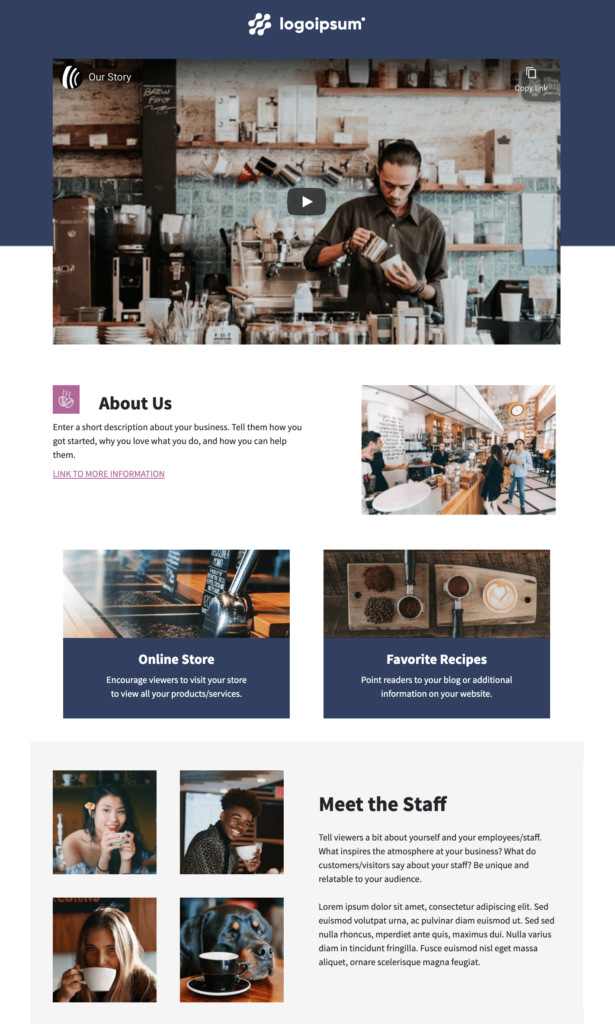
My Store
My Store's landing page layout is ideal for demonstrating the awesome service and products you offer.
Visitors can quickly learn why you are unique and easily navigate through your single page landing page to find additional information. The layout and copy suggestions help guide your writing to help your business get the attention it deserves.
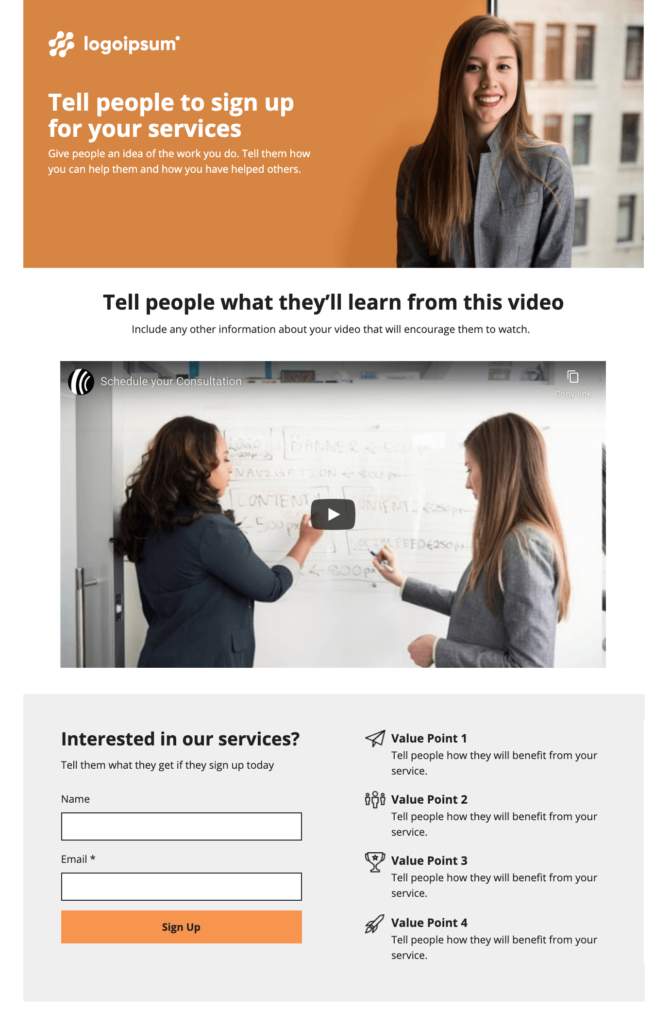
Consultation
The Consultation landing page template is professionally designed to highlight your business. Complete with copy suggestions, a video player, and a signup form connected to your AWeber account, this template lets you add or remove design elements with AWeber's landing page builder.
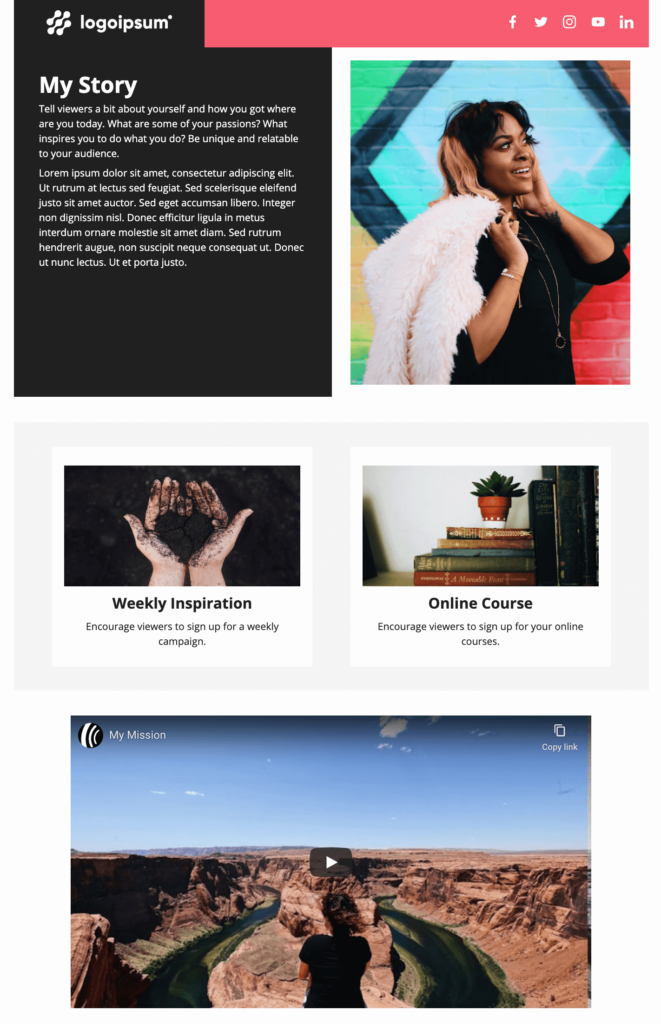
My Story
The My Story landing page template gives you the perfect opportunity and layout to share your unique business story. This template gives you all of the common questions a customer might have about your business and shows you the best place to address them.
Link List
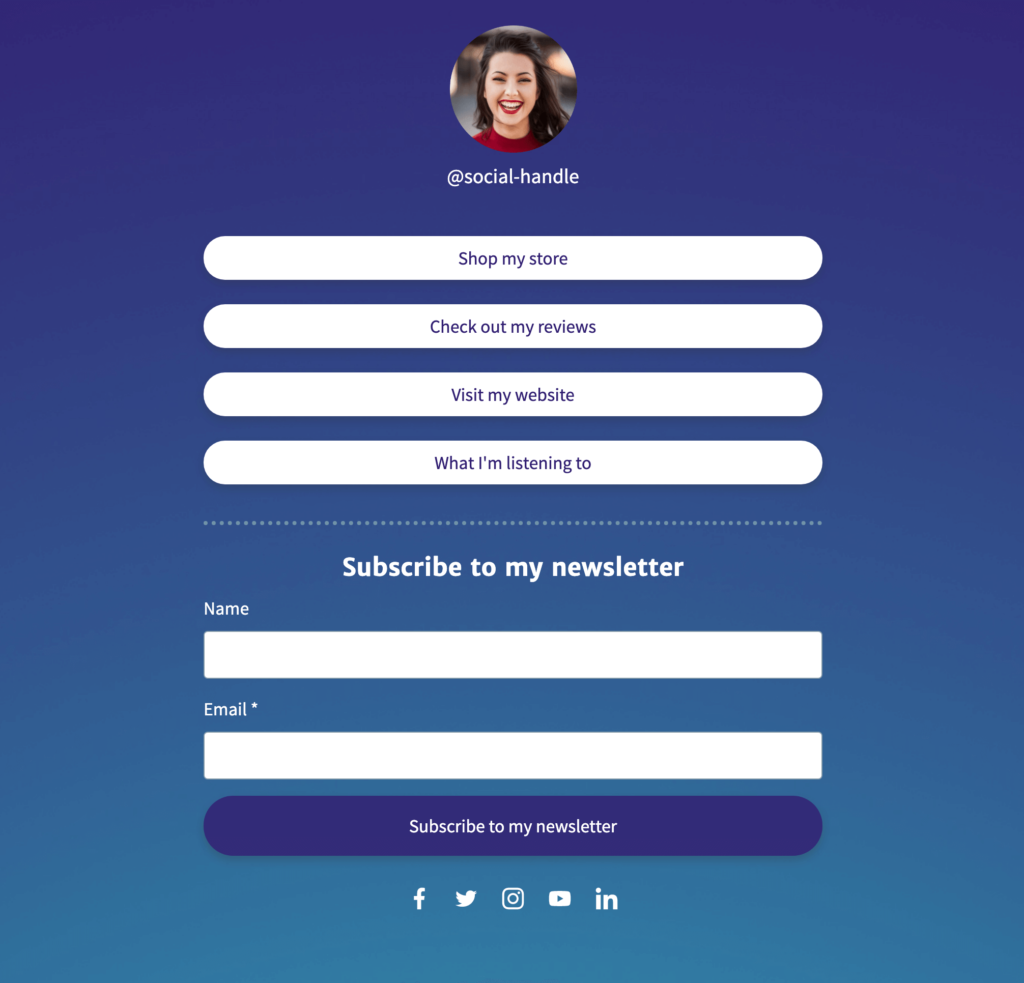
The Link List landing page template is specifically designed for AWeber's social media-focused customers. It’s similar to tools like LinkTree, but gives visitors a place to subscribe to your newsletter immediately without having to click off the page.
The Link List landing page template provides a quick way to share links to all the essential information you want prospects and customers to know about your business.
Checklist or freebie landing page
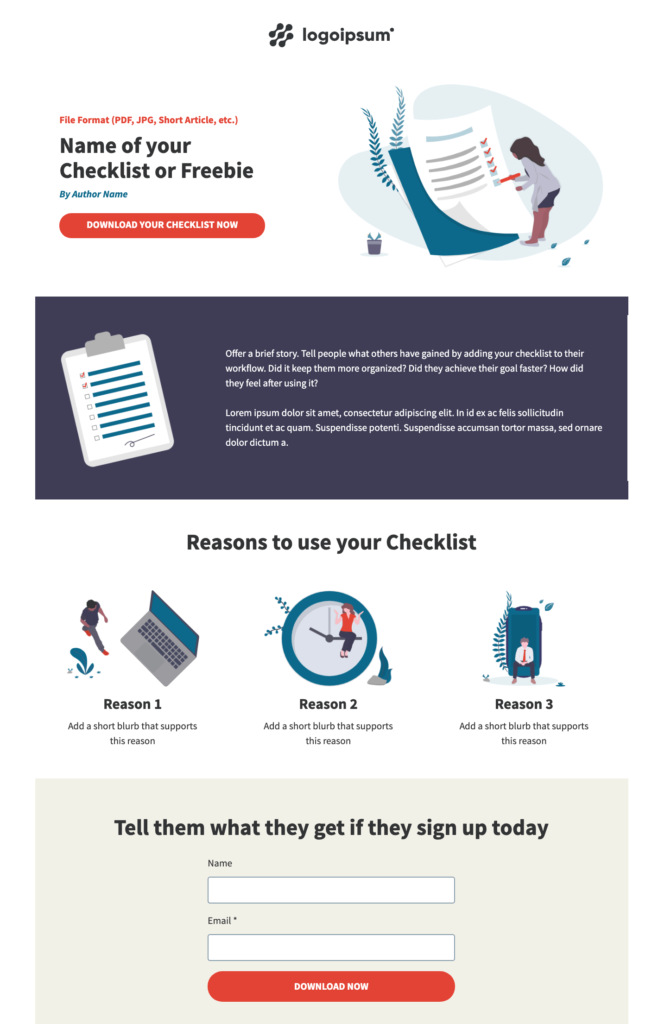
Checklists are an excellent lead magnet to help you grow your audience. AWeber makes it super easy to present your lead magnet so that prospects can understand and gladly provide their email address in exchange for your free content.
Other lead magnets you can promote using the checklist landing page are a free eBook, access to an exclusive article, or printable worksheets — this is a great place to get creative and dig into what valuable content your audience will love.
Need more lead magnet ideas? Check out these 22 brilliant lead magnet ideas that make growing your audience easy.
Horizontal forms option
Up until now, forms could only be displayed vertically. Now, display forms horizontally or vertically on your landing pages. This gives you the flexibility you need to display your sign up forms in the landing page builder in the style that best fits your landing page design.
In the "Form" options, simply select the vertical or horizontal icon to choose your layout preference. The call to action button automatically formats to align with the form layout you selected.

More design options! Margin, borders, drop shadows, and color background options
Create borders, rounded corners, drop shadows, and set margins for columns to create a more polished and customized landing page presentation. These new features allow you to take your landing page to the next level by easily adding card layouts or coupons for a special offer or discount.

Borders
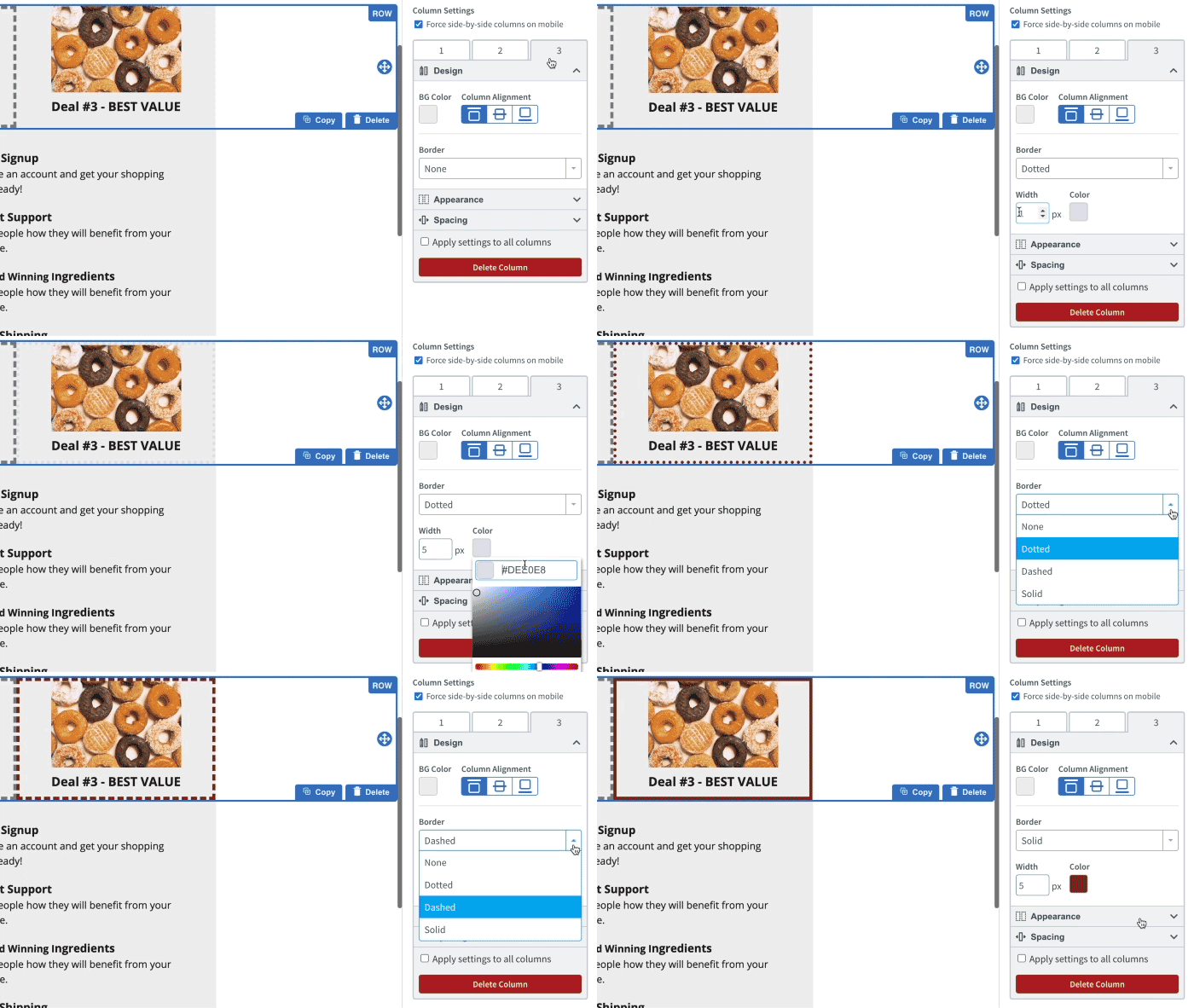
We added the ability to add borders for columns to personalize the look of your landing page further. In the "Design" sidebar on the right you can easily create a dotted, dashed, or solid border as well as adjust the width and color.
Corners and Drop Shadows
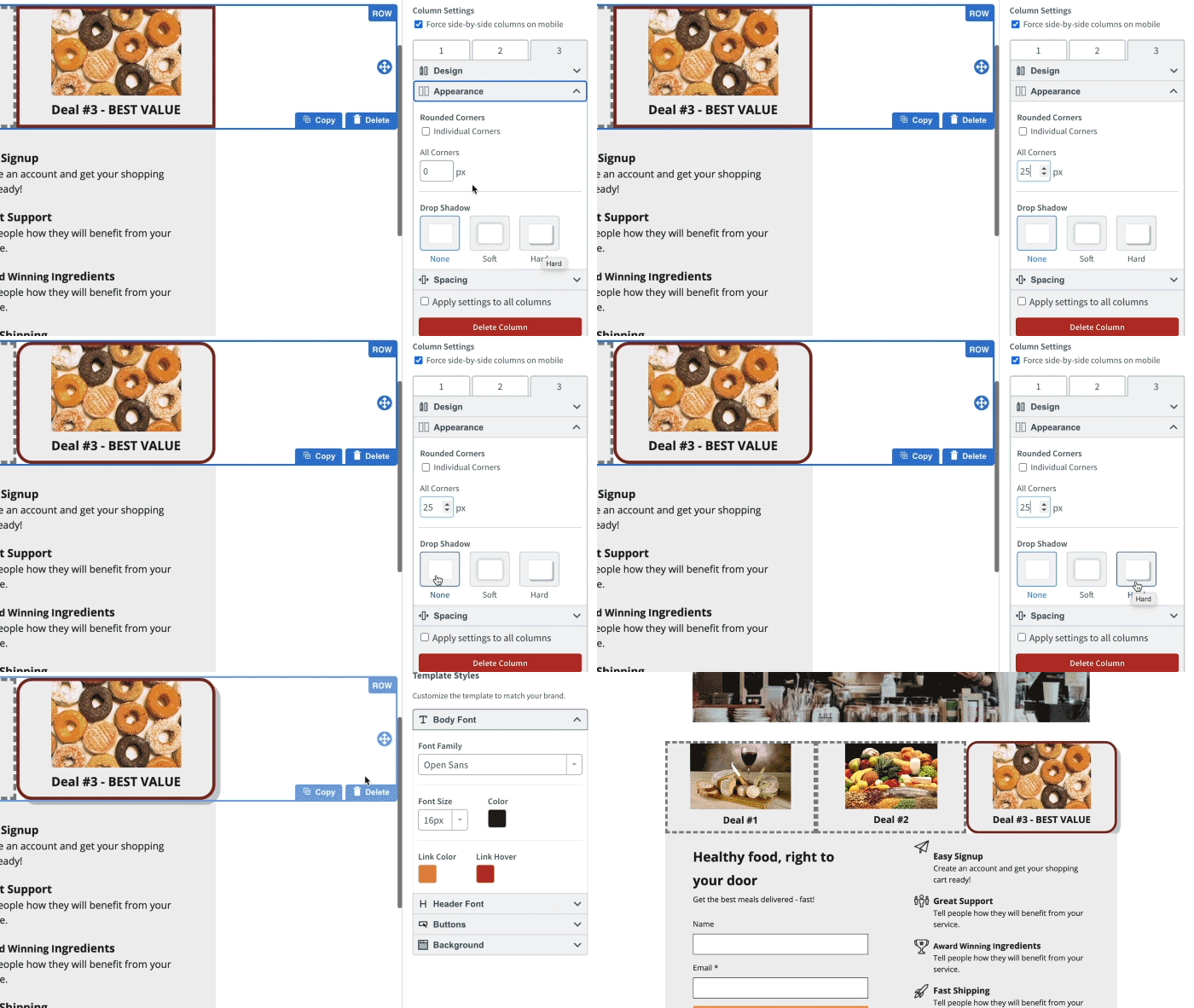
You can also adjust the appearance of your columns to have rounded corners. Select the "Appearance" option in the sidebar. Click either all corners or the specific corners. Then, adjust the corner or corner's appearance with the up and down arrows in the box.
AWeber lets you add depth and variety to your existing landing pages with the new drop shadows features. You can now add drop shadows to their columns. Navigate to the row you want to update and go to the “Appearance” section. Then select the type of drop shadow you wish to apply. You can choose none, soft, or hard.
Background Colors
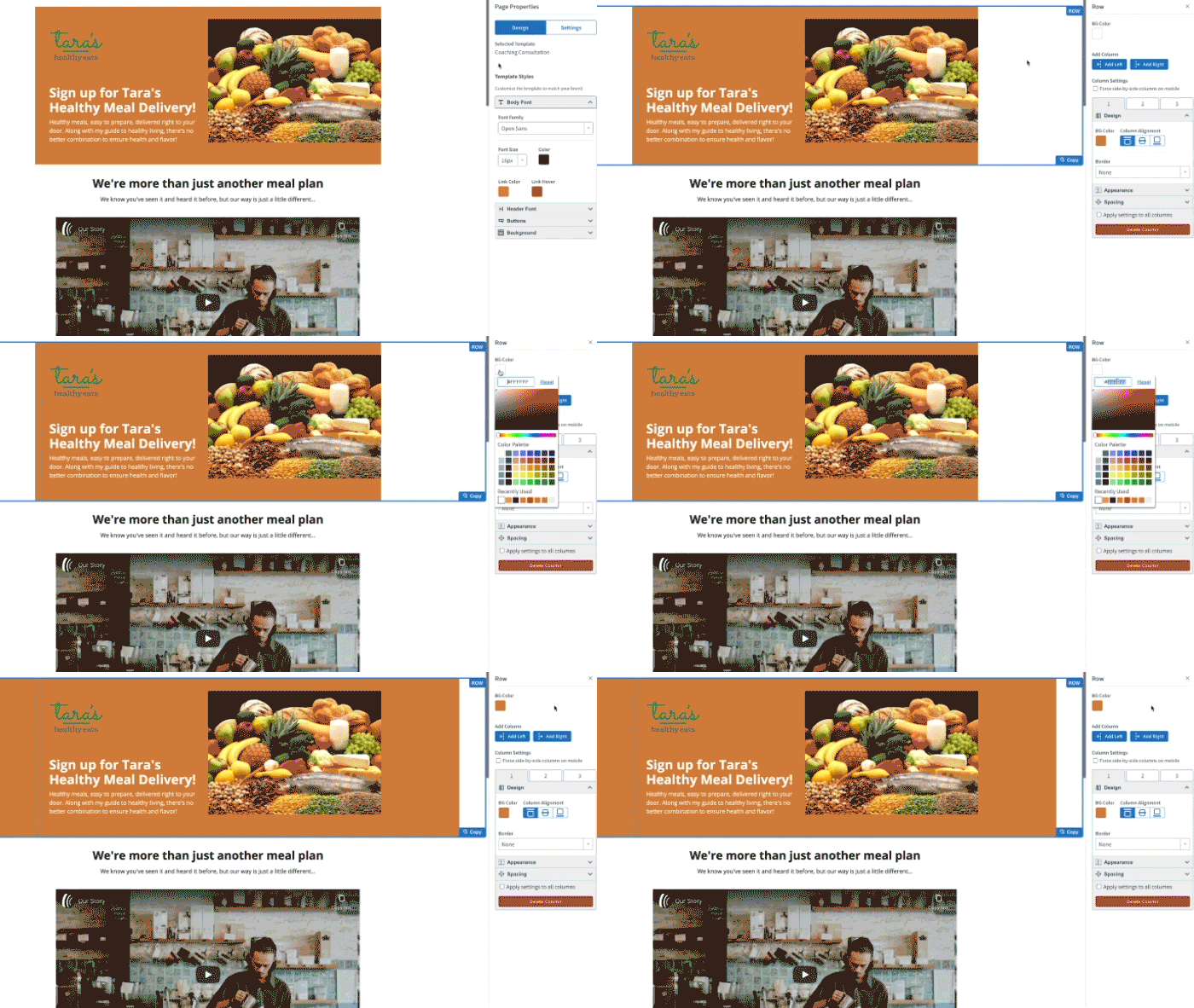
To add variety to your landing pages consider changing the background color for individuals rows in your landing page. Simply navigate to that row and select the background color options, labeled "BG Color". Then choose the color you wish applied to that section.
Best free email and landing page marketing software
Our mission is simple: to deliver powerfully-simple email marketing tools to help small business owners and entrepreneurs — like you — grow your business.
AWeber Free is our completely free email marketing and landing pages plan — perfect for those who are just getting started or kicking off a passion project. We’ll give you everything you need to start building your audience today.
The post Check out new landing page features that supercharge your growth appeared first on AWeber.
from AWeber https://ift.tt/34aMsKV
via IFTTT
Comments
Post a Comment